2
03
2019
Today, you’re going to design a Poster about your favourite SUPERHEROES.
1st Log in http://www.canva.com
2nd Choose a poster. Insert images from Google. Choose TWO SUPERHEROES.
3rd. Design a creative poster about them.
4th Describe your SUPERHEROES. Write COMPARATIVE sentences. Think about their ‘SUPERPOWERS‘.
5th Share it with your friends and family.
6th Print it.
Finally, don’t forget to insert your poster in your PORTFOLIO (http://www.padlet.com)
Look at my example:
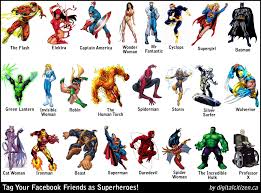
5th Primary, ICT LESSONS
11
02
2019
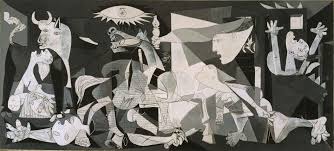
GUERNICA BY PABLO PICASSO
Guernica is a large oil painting on canvas by Spanish artist Pablo Picasso completed in June 1937 in Paris. The painting, now in the Museo Reina Sofia in Madrid, was done with a palette of gray, black, and white, and is regarded by many art critics as one of the most moving and powerful anti-war paintings in history.
Follow these steps:
1st Log in canva.com
2nd Choose one of the characters: a bull, a horse, a woman holding a dead child, a dead soldier, a light bulb, a frightened female figure, an awe-struck woman, a dove, a woman with arms raised in terror, a woman trapped in the burning building…
3rd Design a POSTER describing one of the characters of Guernica painting. Insert images and text. Look at the example: 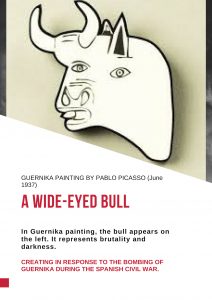
4th Share it and print it in color.
5th Upload it in your portfolio ( padlet.com)
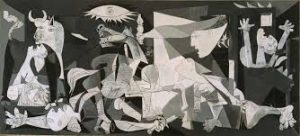 Guernica by Pablo Picasso
ICT LESSONS
9
02
2019
Let’s design a POSTER about a Mythical creature
1st Log in: http://canva.com
2nd Think of a Mythical Creature. Describe it using comparative or superlative adjectives.
3rd Start designing a POSTER. You can upload images from Google.
4th Share it with your classmates and with me. You can print it.
5th Upload it in your PORTFOLIO in http://padlet.com
Click on the link to see an example:

ICT LESSONS
8
02
2019
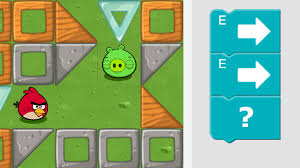
Today, you’re going to learn computer science.
Follow these steps:
1st Click on the link : https://code.org/
2nd: Click on ‘Students’
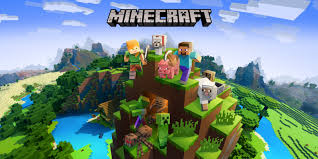
3rd Choose your level or one hour of code with Minecraft.
4th Start coding.
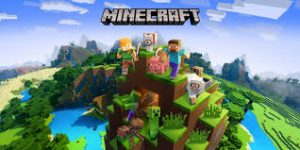
code.org, ICT LESSONS
5
02
2019
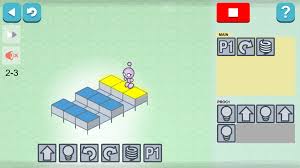
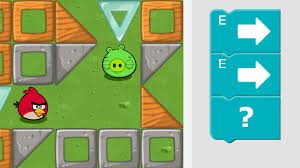
Today you’re going to play a puzzle game based on coding. It secretly teaches you programming logic as you play.
Click on the link and enjoy: http://lightbot.com/flash.html
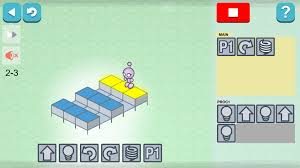
ICT LESSONS, Lightbot