6
10
2018
Today you’re going to make a TIMETABLE. We’ll use a Word document.
Follow the steps:
Open a Word document.
Write a title. Choose a frame, letter, size, color….
Insert a grid (6×8).
Complete the grid with your ‘After school‘ activities.
You can insert images, clipart….
Look at the exemple:
MY TIMETABLE Name

2) General, ICT LESSONS
8
09
2018
Hello boys and girls!
Welcome back to school!
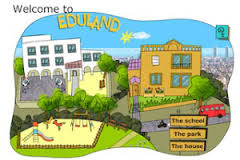
In ICT class you’re going to learn new technology words. Click on the link to practice computer vocabulary: http://www.edu365.cat/primaria/muds/angles/eduland/index.htm
5th Primary, 6th Primary, ICT LESSONS
6
05
2018
Do you like stories? Do you want to be a writer?
Today, we’re going to write an amazing story. Let’s be creative. We’re going to use ‘Storybird’ app.
1st Create an account . Sign up for free: https://storybird.com/
2nd Create a story. Choose the scenes and the characters. Invent a nice story. Write the text of your story.
3rd Publish it.
4th Save and share it with me and your friends.
Look at the example:
https://storybird.com/chapters/a-haunted-village/?token=xcyh6c3qef

6th Primary, ICT LESSONS
25
04
2018
We have different ways of talking about the future. We often use going to (+ infinitive), the present continuous (to be + -ing) or will (+ infinitive). The structure we use depends on the function of what we want to say, whether we are talking about arrangements, plans, predictions, etc..
[youtube]https://www.youtube.com/watch?v=lGcXggbeLH8[/youtube]
[youtube]https://www.youtube.com/watch?v=HTiT63K0KMo[/youtube]
[youtube]https://www.youtube.com/watch?v=SnIP_vqzU5o[/youtube]
Click on the link , read and practise: https://learnenglishteens.britishcouncil.org/grammar-vocabulary/grammar-videos/future-forms
Click on the links to practise: https://www.test-english.com/grammar-points/b1/future-forms/
6th Primary, ICT LESSONS
17
04
2018
Today, you are going to write a letter about your last weekend.
What did you do last Saturday and Sunday? Answer the question.
Remember: use the Past Simple Tense and sequencing words ( First, Then, After that, Later and Finally).
Example: First, I went to the beach. Then, I swam…
Click on the link and start posting your letter:
6thA:https://padlet.com/guerra_mare/19o3njarjj8w
6thB:https://padlet.com/guerra_mare/klwc8j43u0u9
6thC:https://padlet.com/guerra_mare/xriy1rxyjfwf

6th Primary, ICT LESSONS
3
04
2018

 Do you want to create imaginative stories?
You’re going to participate in Saint George’s Day Contest (April 23rd)
Let’s create a comic strip in pairs ( a sequence of drawings telling a story). You can use the Present and Past Simple Tense.
1st Create a free account in https://www.storyboardthat.com.
2nd Choose 6 cell storyboards. Choose scenes (home, school,outdoors, transportation, office…), characters and text.
3rd Start your story in pairs.
4th Save your comic strip.
6th Print it in colour.
Let’s start your first Comic strip! Let’s make your best!

6th Primary, ICT LESSONS
1
02
2018
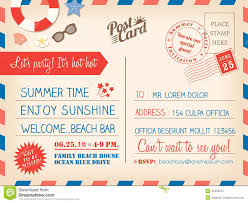
Today, we’re going to design a postcard about your holidays.
Follow these steps:
1st Create an account in https://www.canva.com/
2nd Design a postcard about your holidays. You can use photos of your last holidays. Write a short text in Present Continuous. Answer these questions: What are you doing ? What are you wearing?
3rd Share it with your friends and print it.
4th Insert your postcard in your Portfolio in https://padlet.com
Look at the example:
my-holiday-postcard
https://www.canva.com/design/DACM-O-wzac/JLMlzMtwCW09BxWt7d8gKA/view?website
5th Primary, ICT LESSONS